Your products,turned into reels.
Pick products, pick a style, press make. Poshak builds a ready 1080 x 1920 reel in your browser, writes the caption and schedules it once you approve. Then Ad Ledger shows which ads are making money.
Install the appFree · opens full screen from your phone or computer
 ›
 ›
 NEW ARRIVALJust landed.
One upload. Publishes everywhere you sell.
Make reels all day.
They use no credits.
These tools run in your own browser or on your own Google account, so there is no per-reel cost.
Reel Studio
20+ layouts and pro templates, a timeline and 13 transitions. Exports a 1080 x 1920 MP4, with prices read from your store.
Status & Story
Animated text and product stories from ready templates. Add music or record your own voice, then export an MP4.
Captions
One tap writes the caption in your tone. Write it again until it fits, then schedule the post.
Video clips & model shoots
Auto Video and Shoot Studio run on Google Flow with your own Google account, so they use no Poshak credits.
Honest note: video clips and model shoots need a computer with Chrome kept open and the free Poshak Connect extension. Everything else works on your phone too.
Make reels. Run a whole shoot.
Edit photos.
Three studios in one place. Everything is a draft you approve. Nothing goes live on your store without you.
Turn your products into reels, without an editor
Pick products, pick a style, press make. You get a ready MP4 for Reels and Stories, with your prices read from your store.
- 20+ layouts and pro templates: new arrival, price reveal, lookbook, this-or-that and more.
- Timeline editor: reorder clips, set each clip's length, choose from 13 transitions.
- Price badges: tag, ribbon, seal or stamp, in your brand colours.
- Hook line, camera moves, colour grade and music so the first 2 seconds stop the scroll.
- Exports 1080 x 1920 MP4. Save it, then send it to Social as a draft.
NEW ARRIVALJust landed.››Video clips and a full model shoot, from one product photo
Choose the look once, then run it on one product or your whole collection. No studio, no model booking.
- Auto Video: turns a product photo into a short video clip that waits for your approval.
- Direct the shoot: model look (face, chin crop, turned away), body language, scene, camera mix and fabric finish.
- Copy a photo's look or shoot the background only.
- Whole collection in one background queue. Keep working while it runs.
- Colour check on every result, then you choose what to publish.
- Runs on your own Google Flow account through the free Poshak Connect extension, so Flow runs use no Poshak credits. Needs a computer with Chrome kept open.
Clean, true-colour product photos in minutes
Take a camera photo with a grey wall behind it and get a catalogue-ready image of the same product.
- Remove the background right in your browser.
- White, brand colour or wall backgrounds with a soft floor shadow.
- Checks before you see it: true colour, crop and clean edges.
- Compare, then send to your store. Your originals are backed up and one click undoes it.
- AI alt text written for every photo.
Three steps. No editor.
A start-up wizard sets Poshak up for your store and category in about two minutes. After that, every reel follows the same path.
Pick your products
Choose products from your store, or drop your own photos and clips.
Pick a style, press make
Poshak builds the reel in your browser and writes the caption. Change the hook, transitions or price badge if you like.
Approve & schedule
The reel lands in Social as a draft. Review it, pick a time and approve. Nothing posts without you.
Know which ads make money
Ad Ledger puts your ad spend next to your real store sales, then tells you in plain words what to do with each ad.
- Spend beside sales: Meta and Google ads against your Shopify orders, for any period you pick.
- Clear advice on every card: Raise, Hold, Watch or Pause, judged on the last 30 days and the last 7.
- Pause a weak ad from the card. Nothing changes until you press it.
- Reads your own ad accounts and store. Works in any browser.
Other tools stop at the picture.
Poshak ships the product.
Smart Select: from folder to catalogue
Hundreds of loose photos are grouped into products by colour and shot order. The best 3 per product are kept — merge or split in one click.
436 photos → 9 products · best 3 kept How Smart Select works Listings that rankWritten for search
Title, description, tags, SEO meta, handle, alt text and file names.
meta · 148/160 ✓
alt text · all images ✓
Snap & beautify
A photo of the product in your hand becomes a polished packshot.
Learn more BrandOne look, entire store
Save framing, set, light and logo once. Every image matches.
Learn more SocialSocial autopilot
Posts, carousels and reels with captions — scheduled to four networks.
Learn more Improved · Step by stepCompose wizard
Framing, set and light, one step at a time — nothing goes live until you are happy.
Learn more New · Store checkWebsite match
Compares new photos with products already live on your store, so nothing is duplicated.
Learn more One-click looksPresets
Name a look and apply it to any image or reel.
Learn more Canva-styleWorkspace
Big canvas with zoom, pan and hover previews for every photo.
Learn more VoicePoshak AI
Type or speak — it runs the studio and asks before anything goes live.
Learn moreNot just fashion.
Anything you sell online.
The start-up wizard sets Poshak up for your category, so the framing, set and copy fit what you sell.
Fashion & apparel
One look across the store
- Mixed framing per product
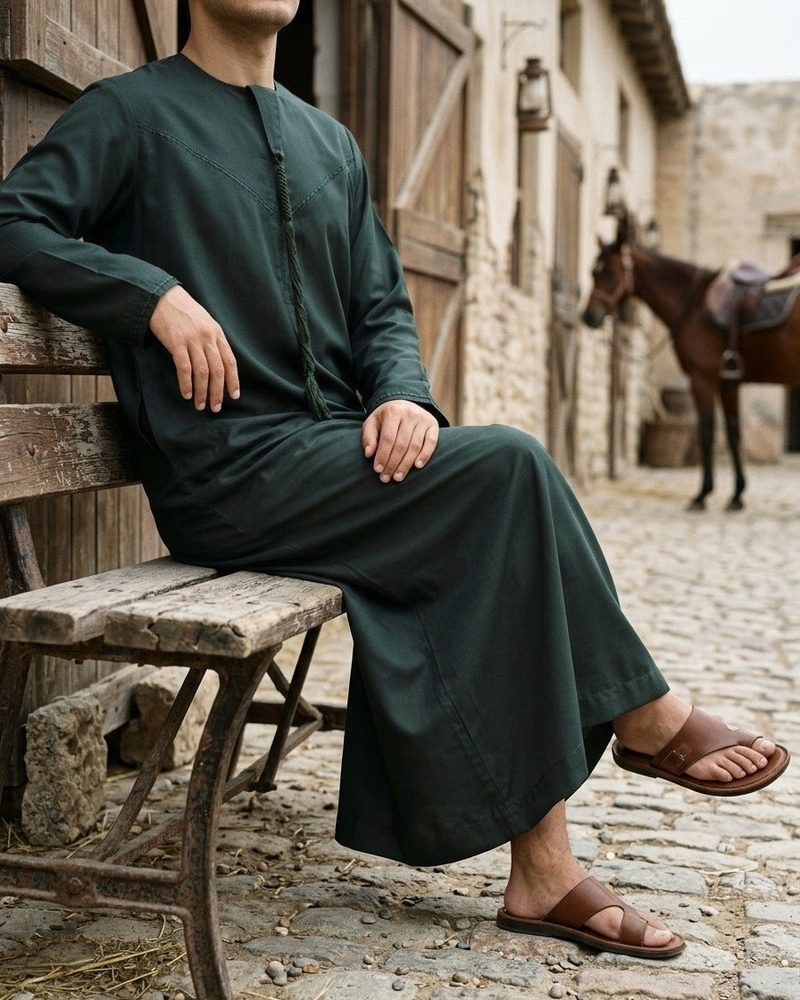
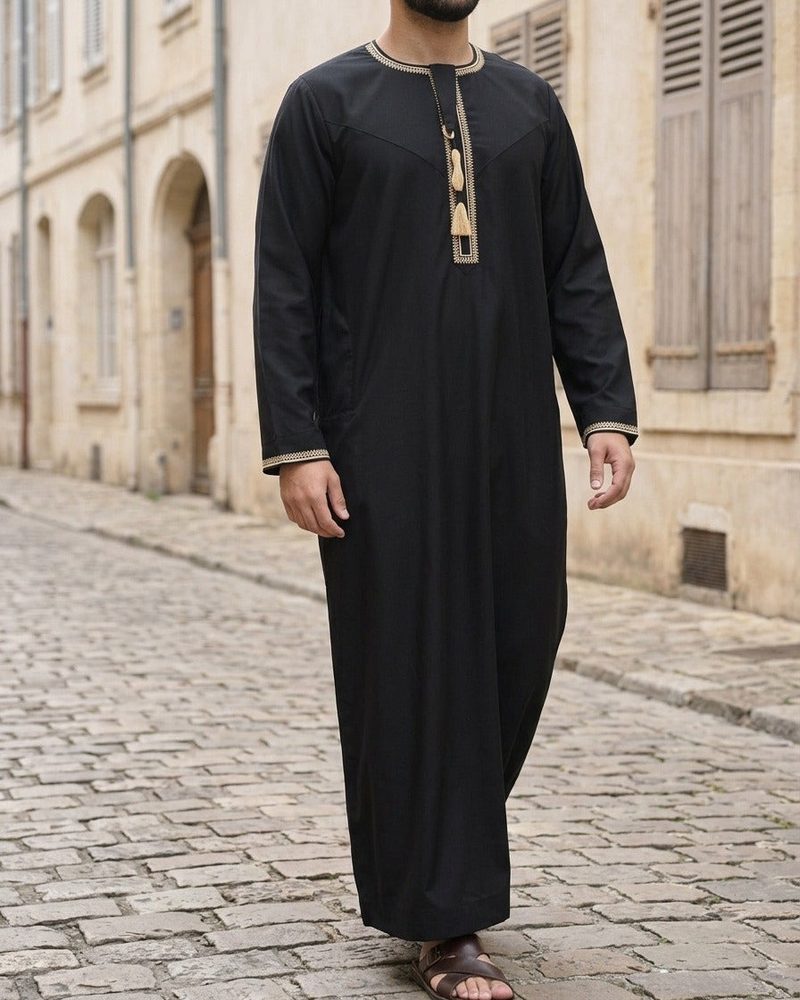
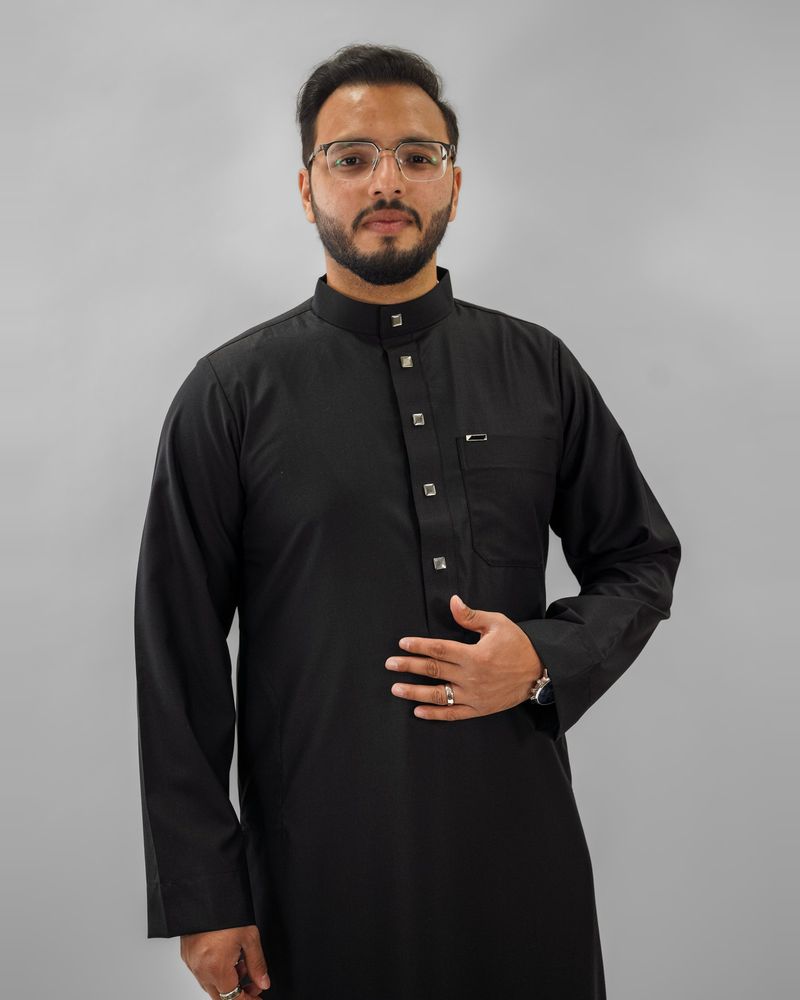
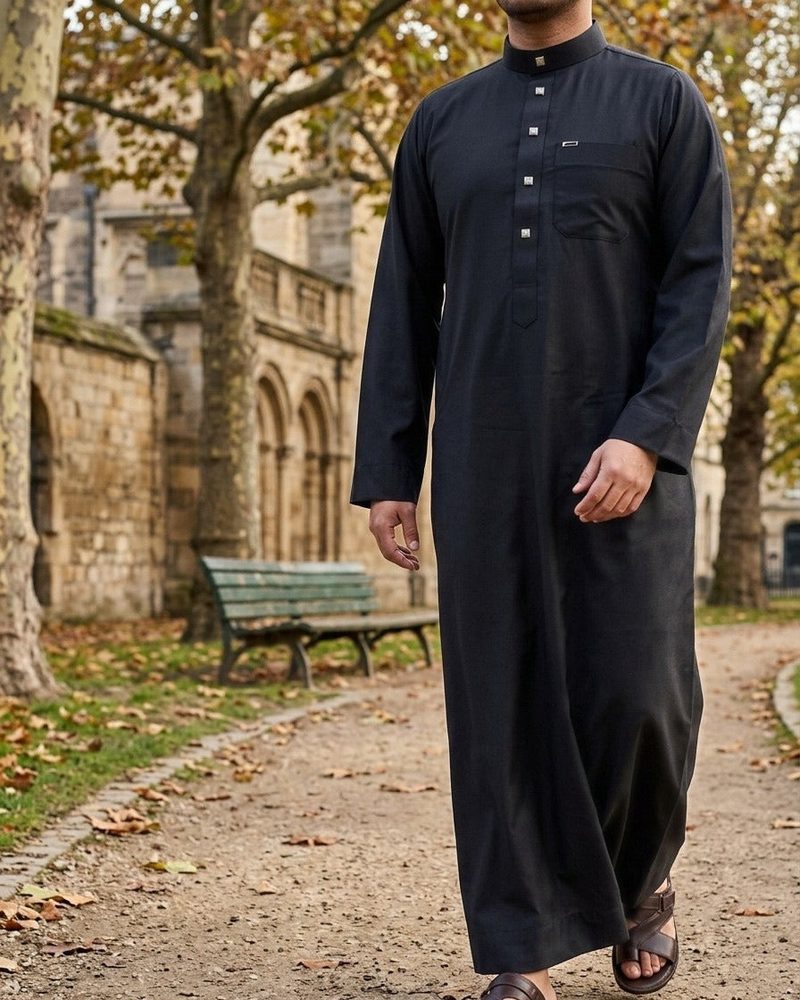
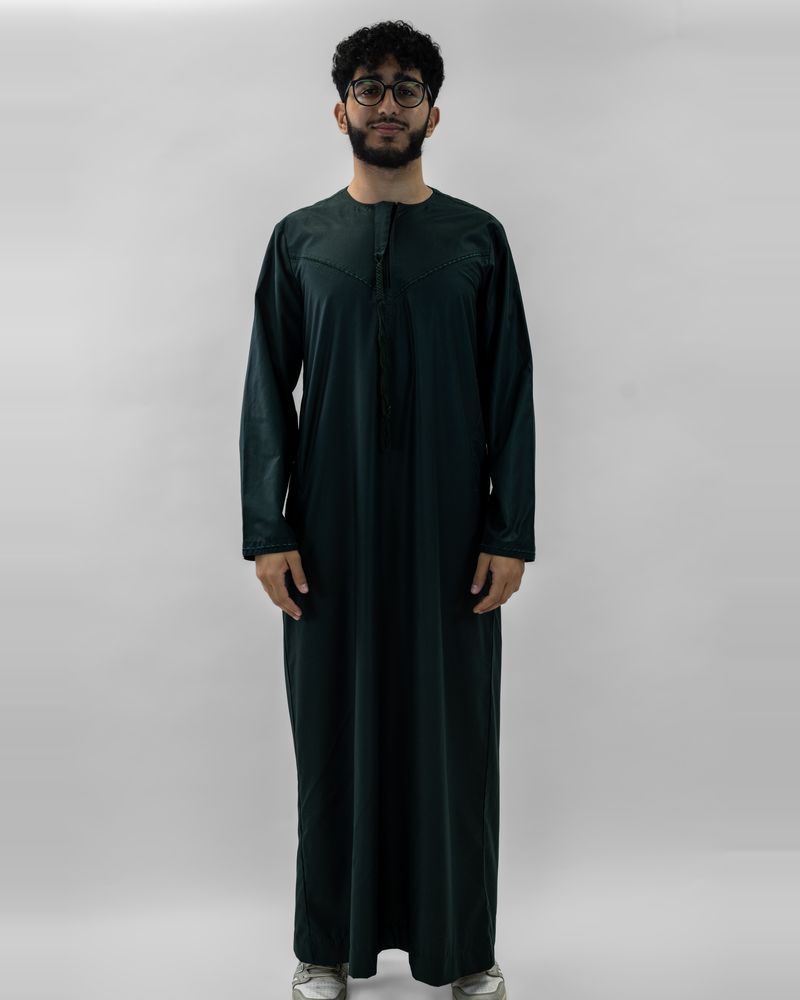
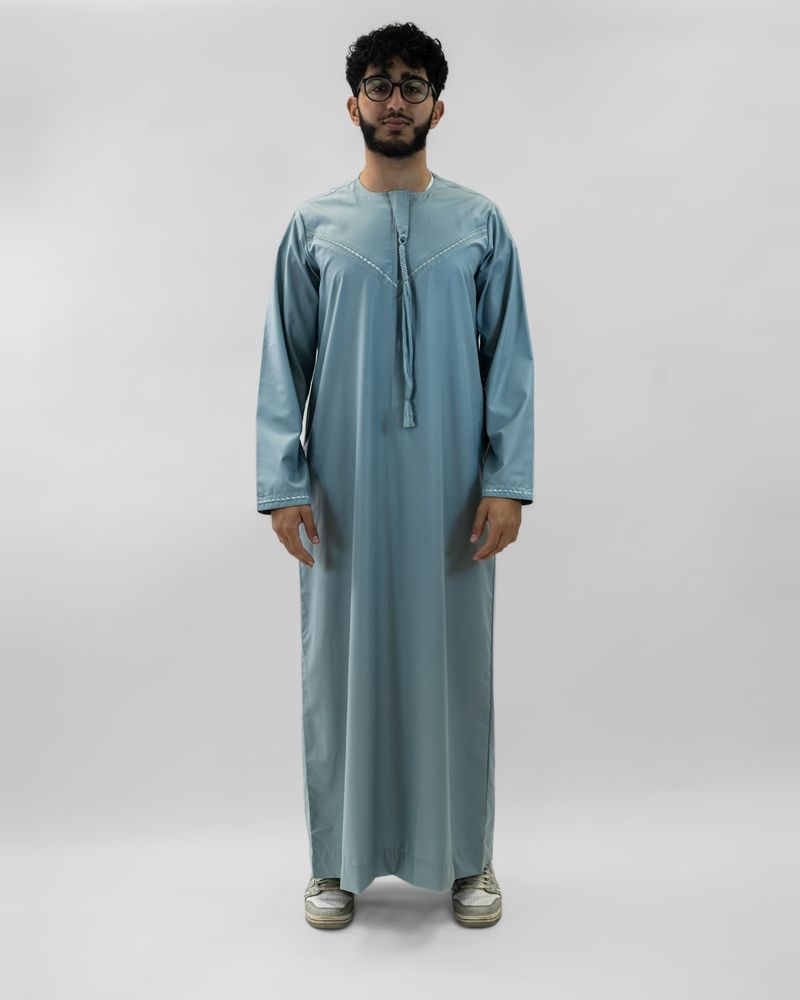
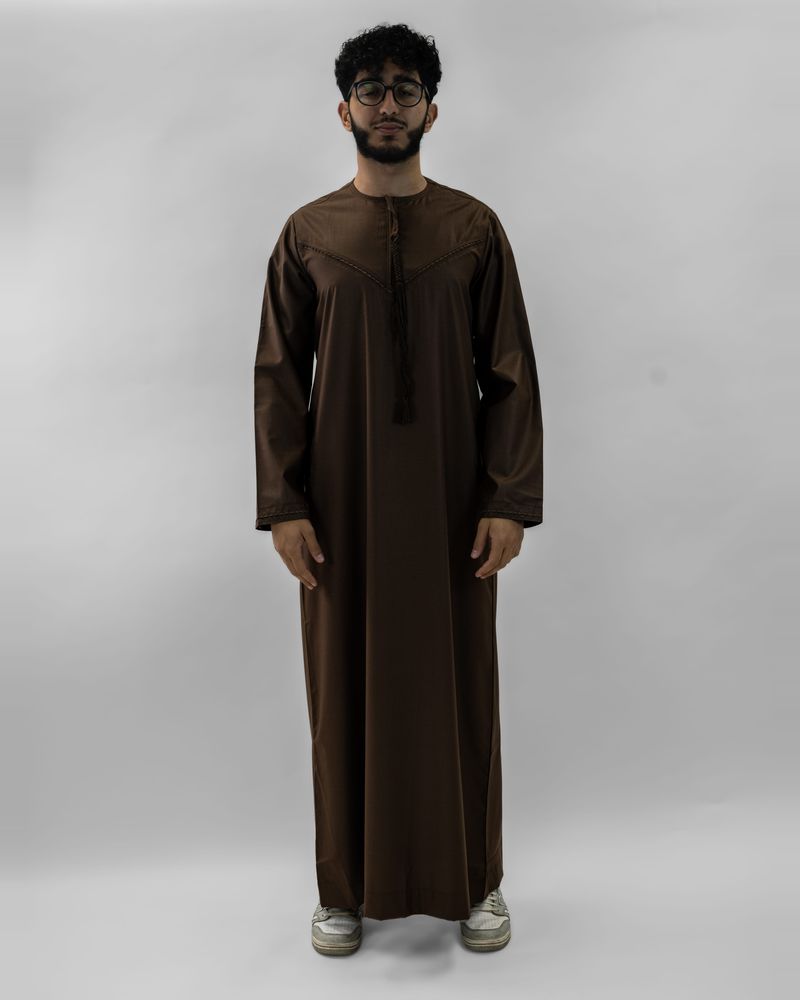
- Real thobes, kurtas, abayas
- Colour & design grouping
- Size-ready listings
Fragrance & beauty
Bottles that look expensive
- Reflections kept clean
- Moody or bright sets
- Notes in the listing
- Reels for launches
Personal care & home
Snap it in your hand
- Phone photo to clean packshot
- Background-only option
- Ingredients in the copy
- Marketplace-ready sizes
Agencies & studios
Many brands, one studio
- Client workspaces
- Saved presets per brand
- Separate data per client
- Team seats
Say it once.
Poshak does the rest.
Poshak AI runs the whole studio — sets, framing, batch edits, listings, publishing and posting. Type or speak naturally, in English or Urdu.
- Talk to it like a team member — voice or text
- Edits whole collections in one instruction
- Always asks for approval before anything goes live
Phone photos in.
Ready-to-sell products out.
Poshak also picks the best shots, styles them in your brand look and writes the listing, then publishes to your store once you approve.
Upload 24 photos
Best 3 kept per product — the rest set aside, grouped by colour and design.
BEFORE · RAWAFTER · POSHAK
Output
Real products. Real photos.
Not renders.
Poshak restyles your own product — so customers receive exactly what they saw. Drag any photo to compare.
Every “before” is the untouched photo straight from the camera — grey wall, no edits. Every “after” is the same product, styled by Poshak.
A whole shoot day,
done before lunch.
photos styled in a single batch
destinations from one upload — your store and 4 social networks
listing fields written for you, built for search
from sign-up to your first styled product
Your whole product team,
in one upload.
A new product used to need a shoot, an editor, a copywriter and someone to post it. Poshak does all four — you just approve.
Four jobs, four hand-offs
- Book a photographer & studiodays
- Edit and retouch every imagehours
- Write title, SEO, tags, alt text~25 min each
- Make posts and reels, then schedulehours
One upload, one approval
- Drop a folder or snap on your phoneseconds
- Best shots picked & styled in your lookautomatic
- Full listing written for searchautomatic
- Approve — store & socials updateone click
One tool instead of five.
Design tools make the picture. Poshak takes the product all the way to live.
| Poshak | Canva | Photoroom | |
|---|---|---|---|
| Photo folder auto-grouped into products | ✓ | — | — |
| Full listing: title, SEO, alt text, file names | ✓ | — | Basic |
| Publish to Shopify after your approval | ✓ | — | Shopify only |
| Posts & reels scheduled to 4 social networks | ✓ | Paid plans | Limited |
| Setup that adapts to your industry | ✓ | — | — |
| AI assistant that runs the studio by voice | ✓ | English | English |
What is product content
costing you today?
Start free. Scale when you sell.
Every plan starts with a 7-day free trial. Yearly plans include two months free, with all twelve months of credits up front.
Every tool, one store. Reels made in your browser use no credits. No card needed.
Start free trialReels, status stories and captions are made in your browser and use no credits. Poshak works in any browser, on phone or desktop. Google Flow runs (video clips and model shoots) need a computer with Chrome and the free Poshak Connect extension.
Nothing goes live without you.
Approve before publish
Every product and post waits for your review.
One-click rollback
Any image can be put back the way it was.
Everything logged
See who changed what, and when.
Questions, answered.
Do reels cost credits?
No. Reel Studio and Status & Story build the video inside your own browser, so making a reel uses no credits. Captions use none either. Credits are only for photos generated by Poshak's AI.
Do I need the Chrome extension?
Only for video clips and model shoots. Those run on Google Flow with your own Google account, through the free Poshak Connect extension, on a computer with Chrome kept open. Reels, status stories, captions, scheduling and Ad Ledger work in any browser, on your phone too.
Does Poshak replace my product with an AI version?
No. Poshak restyles your own photos — light, background, framing — so customers receive exactly what they saw.
Which stores can I connect?
Shopify today, through a short step-by-step wizard. WooCommerce is coming soon. You can always download your finished images and copy your listings to use anywhere.
What is a credit?
One credit is one photo generated by Poshak's AI. If you use Google Flow through the free Poshak Connect Chrome extension, those runs use your own Google account and cost no credits. A failed generation does not use a credit. Unused credits carry over when you renew and can be used while a plan is active.
Is it only for clothing?
No. Poshak works for fragrance, beauty, personal care, footwear, jewellery, home and more — the start-up wizard sets it up for your category.
Will anything publish without me?
Never. Products and posts wait for your approval, every change is logged and any image can be rolled back.
How do payments and yearly plans work?
Start with a 7-day free trial, no card needed. Then pay monthly or yearly by JazzCash, Easypaisa or bank transfer (international transfer on request). Nothing is charged automatically: you renew by paying again, and your plan stays active until the paid period ends. Yearly plans cost ten months and include all twelve months of credits up front. See our refund policy.
Your next reel,
ready to post in minutes.
Pick a few products and see your first reel today.